
Office organization
By Anna Grace | 11 July 2026
The Office Organization System That Saved My Sanity
Somewhere between the third sticky note pile and the mystery cable drawer, most home offices quietly turn into crime scenes. You didn’t plan for it. Nobody wakes up and decides to bury their stapler under six months of unopened mail. It just happens, one “I’ll deal with this later” decision at a time, until the pile has its own gravitational pull.
I used to think organization was a personality trait something you either had or didn’t. Turns out it’s mostly a system problem, not a willpower problem. Once I stopped blaming myself and started blaming my setup, my desk actually stayed clean for longer than a weekend. That shift alone was worth more than any productivity app I’ve ever downloaded.
This article walks through the practical, low-drama ways to organize your office so it works for how you actually function, not how a Pinterest board thinks you should. No color-coded binder systems that collapse the moment life gets busy. Just realistic habits, smart zoning, and a maintenance routine that doesn’t demand a personality transplant to follow. By the end, you’ll have a workspace that supports your actual workflow instead of quietly working against it.
Start With a Brutal Declutter, Not a Cute Bin Haul
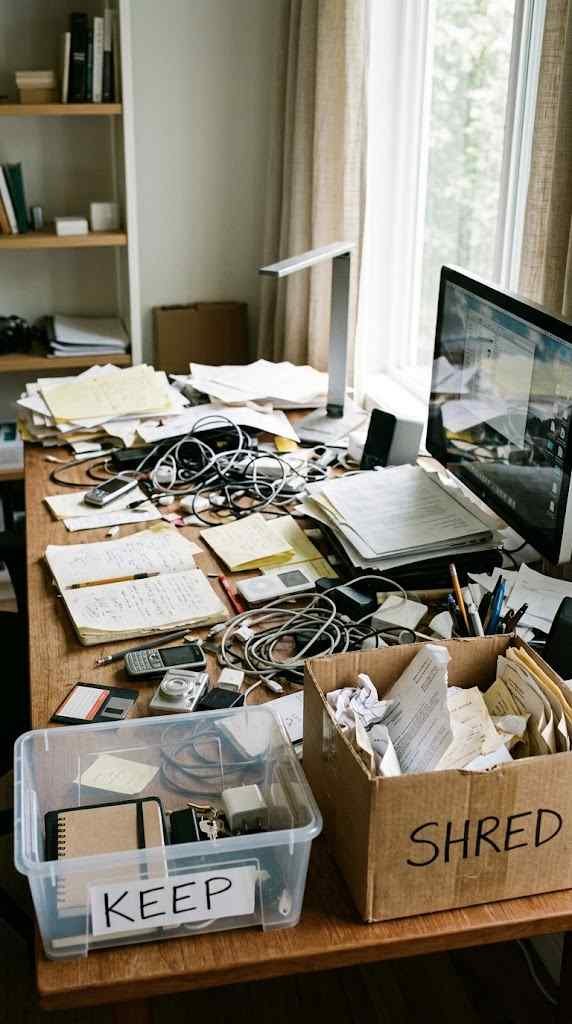
Buying storage bins before decluttering is like buying a bigger suitcase because you refuse to leave anything home. It doesn’t fix the problem it just hides it more attractively. Before you spend a single dollar on organizers, empty every drawer, shelf, and pile onto the floor or a table. Seeing everything laid out at once is uncomfortable, but that discomfort is exactly what pushes real decisions instead of more shuffling.
Sort everything into four piles: keep, recycle, shred, and “I have no idea what this is.” That last pile is normal, and it usually shrinks fast once you start asking whether you’ve touched the item in the last six months. If you haven’t used it, referenced it, or missed it in half a year, it probably doesn’t need a spot in your workspace.
Old chargers for phones you don’t own anymore, warranty cards for appliances you sold, notebooks with three pages used none of that deserves prime desk real estate. Be ruthless here. Is that tangled cable actually going to charge something someday, or is it just future landfill sitting on your desk right now?
Set a timer if you need external pressure. Twenty minutes per drawer or shelf keeps the process moving without letting nostalgia turn into a three-hour trip down memory lane. You’re not curating a museum exhibit of your work history you’re clearing space for the tools you actually need today.
One thing worth mentioning: don’t let the shredding pile intimidate you into skipping it. Old bank statements, expired insurance documents, and outdated tax paperwork pile up fast, and shredding services or a basic home shredder make quick work of it. Skipping this step just means the paperwork resurfaces later, disguised as “important documents” you’re too nervous to throw away.
It also helps to physically separate the piles as you go, rather than mentally tracking which stack is which. Grab four boxes or garbage bags, label them clearly, and drop items in as you sort instead of leaving loose piles that blur together within the hour. A mislabeled pile is how a stack meant for the shredder ends up back in your “keep” drawer three weeks later, right where it started.
Watch out for sentimental clutter too, since it’s usually the slowest category to sort through. Old birthday cards, printed photos, and gifts you never quite liked but felt guilty tossing tend to hide in office drawers because nobody wants to deal with them during a quick cleanup. Set those items aside in a separate “decide later” box with its own deadline say, two weeks so sentimentality doesn’t stall the rest of the decluttering process.
Give Every Category a Home Before You Buy Organizers
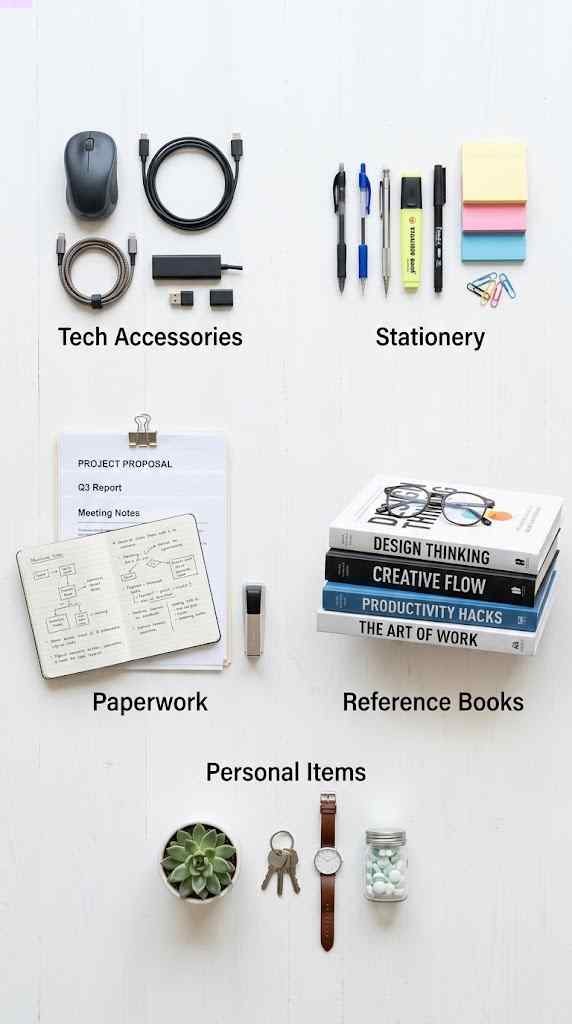
Once the decluttering pile settles, group what’s left into categories: paperwork, tech accessories, office supplies, personal items, and reference materials. This step matters more than it sounds like it does. Organizing without categorizing first is how people end up with matching bins that hold completely random, unrelated stuff a drawer with a phone charger, three receipts, and a single earring nobody remembers losing.
Here’s a simple way to break it down:
● Paperwork bills, contracts, tax documents, anything requiring a signature or filing
● Tech accessories cables, chargers, external drives, spare mice or keyboards
● Office supplies pens, notebooks, tape, staples, sticky notes
● Personal items photos, mugs, plants, the stress ball nobody actually squeezes
● Reference materials manuals, books, printed guides you check occasionally
Now you can shop for storage with intention instead of guessing. A cable organizer only makes sense once you know how many cables you actually kept. A file box only makes sense once you know how much paperwork survived the purge. Buying organizers first is like renting a moving truck before you know what you’re moving you either overpay for space you don’t need or run out of room halfway through.
This categorization step also reveals patterns you might not expect. Maybe you own four notebooks and use none of them consistently. Maybe you’ve got six pens that don’t write and one that does. Seeing everything grouped together makes those imbalances obvious in a way that scattered clutter never does.
Once categories are clear, measure your actual storage spots before buying anything. A drawer organizer that looks perfect online might be two inches too wide for your desk drawer, and returns are annoying enough that most people just shove the wrong-sized organizer into a closet and forget about it.
Build Zones, Not Just Storage Spots
This is where office organization tips usually start sounding like corporate jargon, so let’s keep it grounded. A zone is just an area dedicated to one type of task or item, positioned based on how often you use it. Frequently used items go within arm’s reach. Rarely used items go farther away, even in another room if space is tight.
Think about your actual workflow for a second. Where do you sit when you’re on calls? Where do you sign documents? Where do you charge devices overnight? Your desk setup should mirror those habits, not fight against them. Copying someone else’s dream office layout off social media rarely works if your actual routine looks nothing like theirs.
A few zone examples that tend to work well in small and medium offices:
● Active work zone laptop, notepad, pen, water bottle the stuff you touch every single day
● Paper processing zone inbox tray, shredder, filing cabinet, all within a few feet of each other
● Tech charging zone a designated spot with a power strip so cables aren’t crawling across the floor
●Supply zone a drawer or shelf for extras like staples, batteries, and backup pens
● Reference zone shelving for books, binders, or manuals you check but don’t handle daily
I moved my printer three feet closer to my desk chair last year, and it genuinely changed how often I actually printed things instead of letting scans pile up digitally. Small distance changes make a bigger difference than people expect, mostly because friction is sneaky. If a task takes ten extra seconds of effort, you’ll avoid it more often than you think.
Vertical space matters here too. Wall-mounted shelves, pegboards, and hanging organizers free up desk surface without requiring more floor space, which matters a lot in smaller rooms or shared spaces. A pegboard above the desk can hold everything from scissors to charging cables, keeping the actual desktop clear for the work itself.
Don’t forget lighting as part of your zoning plan. A task lamp near your active work zone reduces eye strain and, weirdly enough, tends to reduce clutter too well-lit spaces just feel harder to leave messy than dim, shadowy corners where stray papers can hide.
Furniture placement plays a bigger role than most people give it credit for. A desk pushed against a wall with no clear path to a filing cabinet practically guarantees that paperwork ends up on the desk instead of in the cabinet, simply because walking there feels like an extra chore. Position your most-used furniture pieces so the natural path of movement matches how you actually work, not how the room happened to be laid out when you moved in.
It’s also worth testing your zones for a week before committing fully. Treat the first attempt as a rough draft rather than a permanent decision. If you notice yourself constantly reaching past one zone to grab something from another, that’s useful information it means two zones need to swap places, or a frequently used item needs to move closer to your actual workflow.
Tame the Paper Trail Before It Grows Legs
Paper clutter deserves its own section because it behaves differently than everything else on this list. It multiplies. You put down one flyer, and somehow by Thursday there’s a small paper civilization growing on your desk. The fix isn’t a bigger inbox tray it’s a faster decision process.
Every piece of paper that enters your office should get sorted the moment it lands, using something close to the OHIO rule: Only Handle It Once. That means deciding immediately whether it gets filed, actioned, or trashed, rather than setting it down “for now,” which is really just code for “forever, probably.”
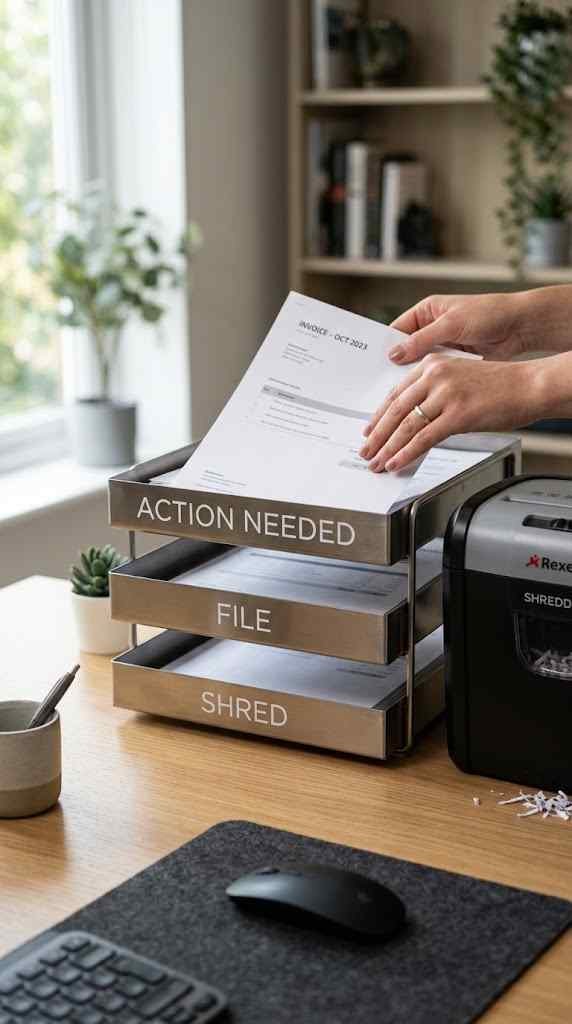
A simple three-tier system handles most home office paperwork:
● Action needed bills to pay, forms to sign, things with a deadline
● File for records receipts, statements, anything you might need for taxes or reference
● Toss or shred junk mail, expired coupons, duplicate copies
Set a recurring 10-minute slot once a week to clear the action tray completely. IMO, this single habit prevents more office chaos than any fancy filing cabinet ever could, because it stops paper from becoming background noise you learn to ignore. Once you stop noticing the pile, it stops feeling urgent, and that’s exactly when it becomes permanent.
Going digital where possible cuts down on paper volume dramatically. Many bills, statements, and receipts can switch to email delivery, and a simple folder structure on your computer mirroring the same action, file, toss logic keeps digital clutter from becoming its own separate mess. Scanning apps on most phones make this transition painless, even for documents you’d normally keep as hard copies.
For documents you genuinely need to keep long-term, invest in a labeled filing system with broad categories like taxes, medical, insurance, and home records. You don’t need a folder for every single topic imaginable five or six solid categories cover most household and small business needs without turning your filing cabinet into its own organizational puzzle.
Mail deserves its own quick habit, since it’s usually the first entry point for paper clutter. Open mail near the shredder or recycling bin, not near your desk, so junk gets tossed immediately instead of migrating toward your workspace “just for a second.” That one small change in location opening mail somewhere other than your desk quietly prevents a huge amount of the paper pileup this whole section is trying to solve.
Maintain the System So It Doesn’t Rot in Three Weeks
Organizing an office once is easy. Keeping it organized is the actual challenge, and it’s the part most guides skip entirely. Systems fail quietly nobody notices the slide until the desk looks like it did before you started, and by then it feels like starting over from scratch.
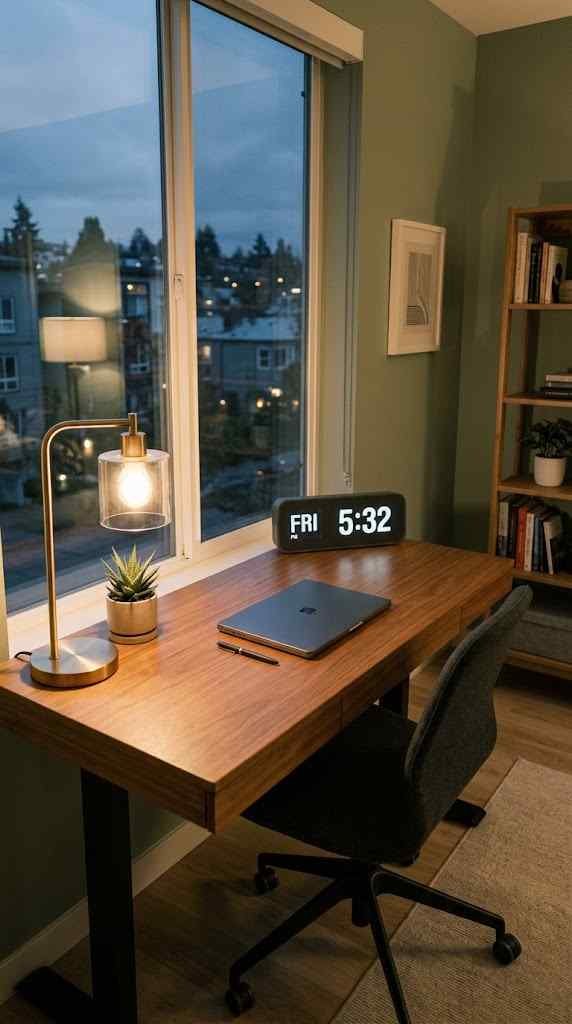
Set a recurring calendar reminder for a 15-minute “reset” every Friday afternoon. Walk through each zone, put stray items back where they belong, and clear anything that snuck onto your desk during the week. This tiny habit is what separates people who stay organized from people who organize in dramatic bursts every few months and then quietly slide back into chaos. Which sounds more sustainable to you fifteen minutes weekly, or an entire wasted Saturday twice a year?
Don’t overthink the tools, either. A cheap label maker and a handful of matching bins go further than expensive furniture upgrades. What actually determines whether your system survives is whether it’s easy enough to follow when you’re tired, distracted, or just want to be done with work for the day.
It also helps to build a little accountability into the process, even if that just means texting a friend a photo of your reset desk once a week. External nudges, however small, tend to keep habits alive longer than pure self-discipline ever manages on its own. And if you slip for a week or two? That’s fine. The system doesn’t break because you missed one reset it breaks if you decide missing one means giving up entirely.
Seasonal check-ins help too, separate from the weekly resets. Every few months, revisit your categories from Section 2 and ask whether they still match how you’re working. Jobs change, hobbies shift, and the supplies you needed a year ago might not be the ones cluttering your drawers today. An organization system built for last year’s routine will quietly stop fitting this year’s reality if nobody updates it.
FYI, it’s also fine to simplify further if a zone isn’t working after a few months of honest effort. Not every system needs five categories or five zones some smaller offices function perfectly well with three. The goal isn’t matching a template; it’s building a setup you’ll actually maintain without resenting it. If a zone keeps collecting clutter no matter how many times you reset it, that’s usually a sign the zone itself is in the wrong spot, not that you’re failing at organization.
Office organization isn’t really about aesthetics, even though a tidy desk photographs nicely. It’s about reducing the mental static that comes from searching for a stapler you know you own but can’t find. A well-organized workspace saves time, lowers stress, and makes it easier to actually focus on the work in front of you instead of the mess around it.
Start with the declutter, build zones around your real habits, tame the paper trail before it multiplies again, and protect the system with small weekly resets. None of it requires perfection, and none of it needs to look like a magazine spread. It just needs to work for you, consistently, on the ordinary Tuesdays when nobody’s watching how tidy your desk is except you, reaching for a pen that’s actually where you left it.
FAQ’s
How often should I reorganize my office?
A full declutter once or twice a year is enough; weekly 15-minute resets maintain everything in between.
What’s the biggest mistake people make when organizing an office?
Buying storage bins before decluttering, which just hides clutter instead of actually reducing it.
How do I organize a small home office with limited space?
Prioritize zones by frequency of use and store rarely used items outside the main workspace entirely.
What’s the best way to manage paperwork clutter?
Sort every paper immediately into action, file, or toss categories instead of setting it aside “for later.”
Do I need expensive organizers to keep an office tidy?
No simple labeled bins and consistent habits outperform expensive furniture that isn’t used correctly.
CONCLUSION
Office organization isn’t really about aesthetics, even though a tidy desk photographs nicely. It’s about reducing the mental static that comes from searching for a stapler you know you own but can’t find. A well-organized workspace saves time, lowers stress, and makes it easier to actually focus on the work in front of you instead of the mess around it. Start with the declutter, build zones around your real habits, and protect the system with small weekly resets that combination is what makes organization last past the first month.