
home office organization
By Anna Grace | 6 July 2026
The Home Office Organization Guide for People Who Fixes Chaos
My desk used to be a crime scene. Coffee rings overlapping old mail, three chargers tangled into a single unusable knot, and a sticky note graveyard nobody had the heart to clean up. Sound familiar? If your home office has quietly become the place where clutter goes to retire, you’re not alone, and the fix is a lot simpler than a Pinterest board makes it look.
Home office organization isn’t about buying matching bins or turning your desk into a minimalist showroom. It’s about building a system that keeps you focused, saves you time, and doesn’t make you want to work from the couch instead. Below are five practical, tested ways to get there.
Why Home Office Organization Actually Matters
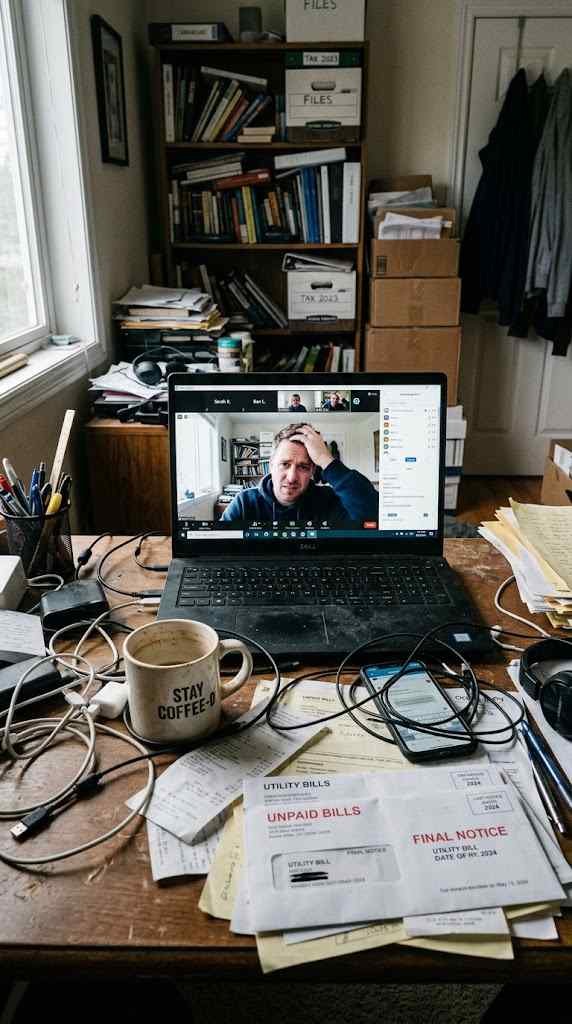
A messy desk doesn’t just look bad on video calls. It costs you real time and mental energy every single day.
Research on workplace clutter consistently links visual chaos to higher stress and lower focus. Your brain treats every stray paper and tangled cable as an unfinished task, quietly draining attention even when you’re not looking directly at it. That’s why you can feel exhausted after a day of “just sitting at a desk.”
There’s also the practical cost. How many minutes have you lost hunting for a charger, a stapler, or that one invoice you swore you printed? Multiply that by every workday and you’re looking at hours of pure, avoidable frustration.
There’s a financial angle too, one people rarely think about. Duplicate purchases happen constantly in disorganized spaces you buy a new stapler because you can’t find the old one, then discover three staplers six months later during a drawer purge. Multiply that across pens, notebooks, chargers, and printer paper, and clutter is quietly costing you actual money, not just time.
Then there’s the video call factor, which matters more than most people admit. A cluttered background during a client call or team meeting sends a subtle signal about how you handle your work, whether that’s fair or not. I’ve had coworkers apologize mid-meeting for their “mess,” and honestly, it derails the conversation more than the mess itself would have. An organized space removes that entire category of distraction for you and everyone watching.
Mental clarity is the biggest payoff, though. Environmental psychologists have long noted that physical order correlates with a sense of control, and a sense of control directly affects how calmly you approach deadlines and decision-making. Isn’t it worth ten minutes of tidying if it means fewer moments of low-grade panic during your workday?
A well-organized home office isn’t a luxury it’s a productivity tool you’re currently missing out on.
Start With a Brutal Declutter
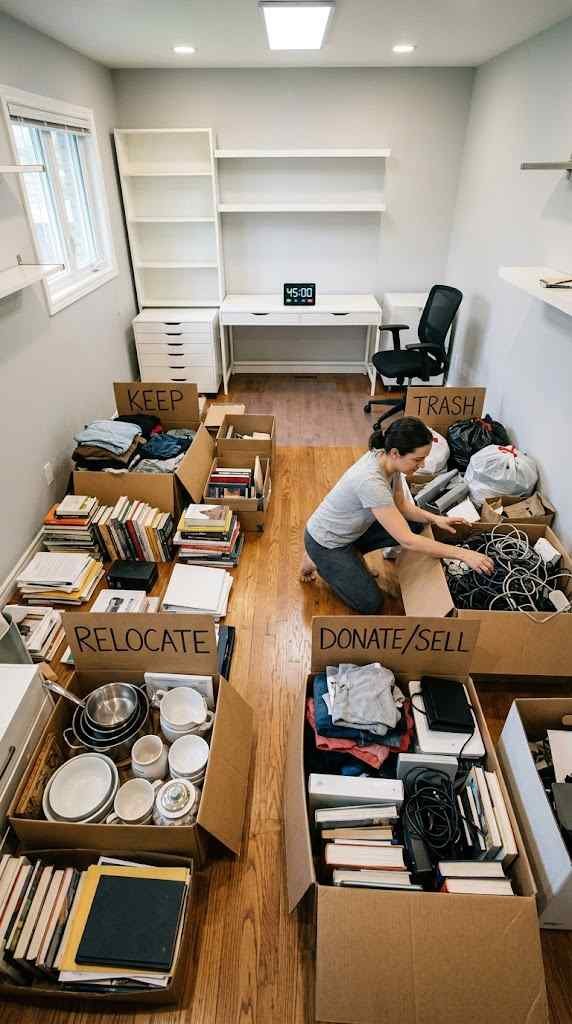
Before you buy a single organizer, empty the space. Not tidy it empty it. Pull everything off the desk, out of the drawers, and off the shelves, then sort it into four honest piles.
● Keep – items you use weekly and that belong in this room
● Relocate – items that are useful but live somewhere else in the house
● Donate/Sell – working items you simply don’t need anymore
● Trash – broken pens, dead cables, mystery adapters, expired coupons
This step is uncomfortable, and that’s kind of the point. IMO, most home offices don’t have a storage problem; they have a “too much stuff” problem, and no shelf is going to fix that.
I made this mistake for years, buying drawer organizers and file boxes for a home office that simply had too much in it. No container solved the actual problem, because the problem was volume, not storage. Once I finally forced myself through a real declutter, half the “storage solutions” I’d bought became unnecessary.
Set a timer for this process 45 minutes works well for most home offices. Without a time limit, it’s easy to get sucked into reorganizing a single drawer for an hour while the rest of the room stays untouched. The timer forces momentum, and momentum is what actually gets a declutter finished instead of abandoned halfway.
Watch out for “someday” items specifically. That cable for a printer you no longer own, the notebook you’ll “definitely start using,” the business cards from a job three positions ago these are the sneakiest clutter because they feel too useful to toss and too irrelevant to use. Give yourself permission to let them go. If you genuinely need it someday, it’s replaceable.
Zone Your Desk Like a Tiny Apartment
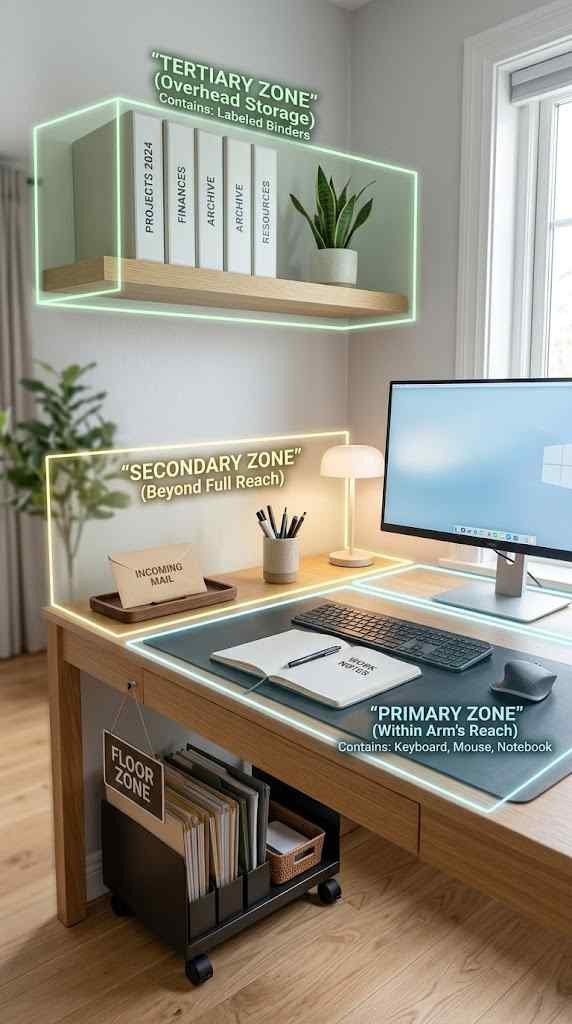
Think of your desk as prime real estate. Every square inch has value, so assign each zone a job instead of letting things pile up randomly.
Primary Zone (Arm’s Reach)
This is where your keyboard, mouse, monitor, and maybe a notepad live. Nothing else belongs here. The moment you let a stack of mail creep in, the whole system collapses.
Secondary Zone (Just Beyond Reach)
Reserve this area for things you use daily but not constantly a planner, a pen cup, a small tray for incoming mail. Keep it shallow; anything that starts stacking up needs a new home fast.
Tertiary Zone (Drawers and Shelves)
This is for backup supplies, reference documents, and equipment you use weekly but not daily, like a label maker or extra notebooks. Label the drawers if you’re prone to the “junk drawer” spiral trust me, future you will be grateful.
The Floor Zone (Often Forgotten)
Floor space near your desk deserves a plan too, especially if you work with physical files, a printer, or extra equipment. A small rolling cart or open-shelf unit keeps bulkier items accessible without letting them creep onto your actual desk surface. The rule here is the same as everywhere else: designate a spot, and don’t let anything sit outside it.
This system also scales with your space. A tiny corner desk in a shared bedroom still benefits from primary and secondary zones, even if the “tertiary zone” is just one drawer or a single shelf above the desk. The principle matters more than the square footage assign a job to every surface, however small.
Zoning works because it removes decision fatigue. You’re not asking “where should this go?” fifty times a day; you already know.
Cable Management and Storage Solutions That Don’t Suck
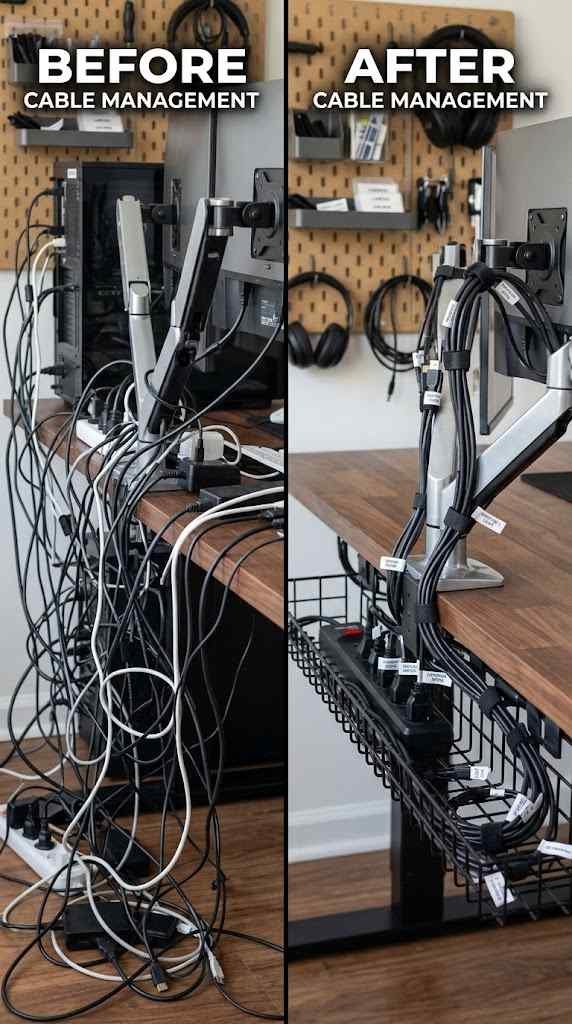
Cables are the single ugliest part of any home office, and somehow the most ignored. A tangle of wires behind your monitor doesn’t just look messy it makes cleaning, moving equipment, and troubleshooting a genuine headache.
Here’s a simple approach that doesn’t require an engineering degree:
Bundle by function. Group power cables together and data cables together using velcro ties, not zip ties (you’ll want to adjust them later).
Use a cable tray. Mount a basic under-desk tray to lift the mess off the floor entirely.
Label both ends. A tiny piece of tape with “monitor” or “printer” written on it saves you from the guessing game during setup changes.
Hide the power strip. Tuck it behind a drawer unit or inside a vented box so it’s accessible but out of sight.
Floating shelves work well for reference materials and decorative touches without sacrificing desk space, but resist the urge to overfill them. A shelf stacked floor-to-ceiling with binders just relocates the clutter upward instead of solving it. Leave visual breathing room a shelf with a few well-chosen items looks intentional, while a packed one looks like storage overflow.
If you’re working with multiple monitors or a docking station, consider a cable management sleeve a fabric tube that bundles several cords into one clean line running down to the power strip. It’s a small purchase, usually under $15, but it eliminates the “waterfall of wires” look almost instantly. IMO, it’s one of the most satisfying five-minute upgrades in this entire process.
For general storage, vertical space is your best friend. Wall-mounted shelves, pegboards, and stackable bins free up desk surface without eating floor space. FYI, a pegboard above your desk is one of the cheapest upgrades you can make, and it looks surprisingly professional once it’s set up.
Drawer organizers are worth the small investment too. A $10 tray insert stops pens, paperclips, and USB drives from turning into a junk soup every time you open the drawer.
For paper-heavy roles, a vertical file sorter beats a flat filing cabinet drawer nine times out of ten. Flat drawers hide documents at the bottom for months; vertical sorters keep everything visible at a glance, which makes weekly filing genuinely faster instead of a dreaded chore.
The goal isn’t zero cables or zero storage it’s making sure everything has a specific, visible place.
Maintain It: Small Daily Habits That Keep the System Alive
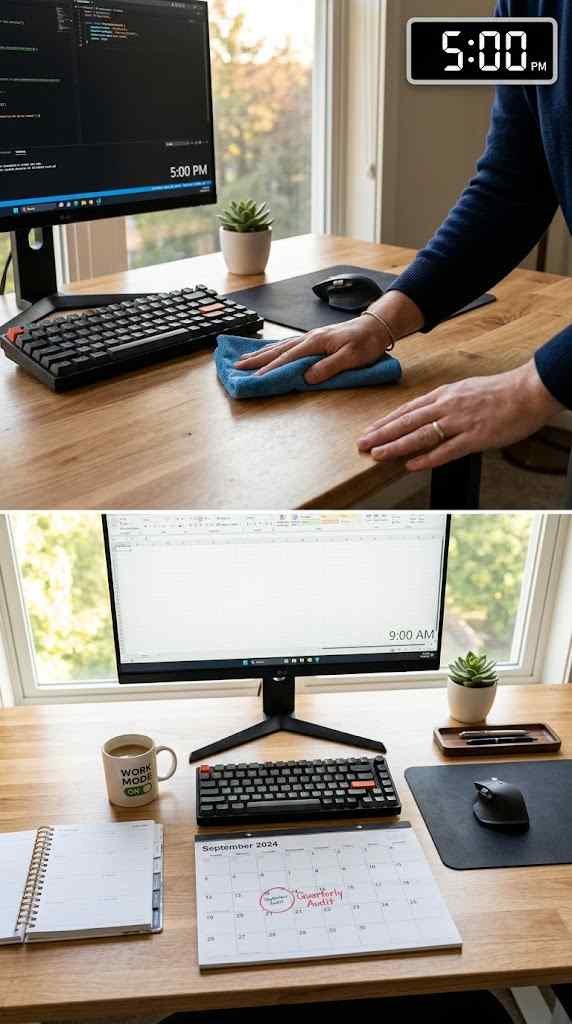
Organizing your office once is easy. Keeping it that way is where most people quietly give up. The system doesn’t fail because it was designed badly; it fails because nobody built in maintenance.
Try the “two-minute reset” at the end of each workday. Close out browser tabs, clear your desk surface, and return anything that wandered out of its zone. It sounds almost too simple to matter, but two minutes daily beats a two-hour deep clean every few months.
Set a recurring weekly check for paperwork specifically. Mail, invoices, and printed documents multiply faster than anything else on a desk. A simple “inbox” tray with a weekly sort-and-file habit keeps that pile from ever forming in the first place.
Every quarter, revisit your Keep pile from Section 2. Priorities shift, tools change, and what earned a spot on your desk in January might be dead weight by June. This quarterly audit is the difference between an organized office and one that slowly reverts to chaos, one stray receipt at a time.
It also helps to build in a light accountability check. Some people snap a quick phone photo of their desk at the end of each week — not for social media, just as a personal record. Comparing photos over a month makes creeping clutter obvious in a way that’s easy to ignore day-to-day but impossible to miss in a side-by-side comparison.
Finally, give yourself grace when the system slips, because it will. A hectic work week or a chaotic deadline will occasionally win, and that’s fine. The two-minute reset exists precisely for those moments it’s a low-effort way to pull the space back into order without needing a full weekend cleanup every time life gets busy.
FAQ’s
How often should I reorganize my home office?
Do a two-minute daily reset, a weekly paperwork sort, and a full audit every three months.
What’s the biggest mistake people make with home office organization?
Buying storage before decluttering, which just gives clutter more places to hide.
How do I manage cables without spending a lot of money?
Velcro ties, an under-desk tray, and labeled tape handle most cable chaos for under $20.
Where should frequently used items go on a desk?
Keep them in your “primary zone,” within arm’s reach, and nowhere else.
How do I keep my home office organized long-term?
Build small daily habits, like the two-minute reset, instead of relying on occasional deep cleans.
CONCLUSION
An organized home office isn’t about aesthetics or Instagram-worthy shelves it’s about giving yourself fewer reasons to get distracted and more reasons to actually enjoy sitting down to work. Start with the declutter, zone your desk with intention, tame the cables, and build small habits that keep the whole system running without constant effort. Do that, and your workspace stops being a source of daily friction and starts being one less thing you have to think about.